Make the video you pictured.Without editing all night.
You have the idea and the footage. Tell GetCapz how you want it cut, captioned and styled. Review the edit on the timeline, make it yours, and post your next Reel, TikTok or Short.
The edit is where the post gets stuck
Your best take is buried in retakes and pauses. The longer you wait, the less the idea feels worth posting.
A sentence switches between Darija, Arabic and French. Generic captions miss words, and fixing them takes time.
You need a strong opening, rhythm and visuals that feel like you. A template cannot make those choices for you.
Get the first cut done. Keep the voice, timing and style that make it yours.
From footage to a Reel you’re ready to post
- 01
Bring your clips
Upload what you filmed. Keep your own voice, footage and idea at the center.
- 02
Describe the edit
Ask GetCapz to cut pauses, pick the best takes, and add captions, B-roll and music. It builds an editable first cut.
- 03
Check it. Make it yours.
Fix names or dialect words, adjust the timing and style, then export for Reels, TikTok or Shorts.
Ask for it. Watch it happen.
Try these requests on your next video.
From raw clip to a post that feels like you
Describe the edit in your own words
Ask for a tighter opening, a better cut or a new caption style. See the changes on the timeline and undo any of them.
Motion graphics in one sentence
Titles, lower thirds and animated callouts that make key moments land. Pick a recipe or describe your own.
Auto B-roll and images
The AI reads your script and places matching visuals, so viewers keep watching.
Studio-clean voice
Remove room noise and echo while keeping a touch of the real sound underneath. On paid plans.
Captions for the way your audience speaks
Caption Darija, Arabic, French or English videos. Correct the words and timing, then style them for your audience.
3D, music and sound effects
Tilt clips in 3D, add music that plays through your cuts and whooshes that hit on time.
The final cut is still yours.
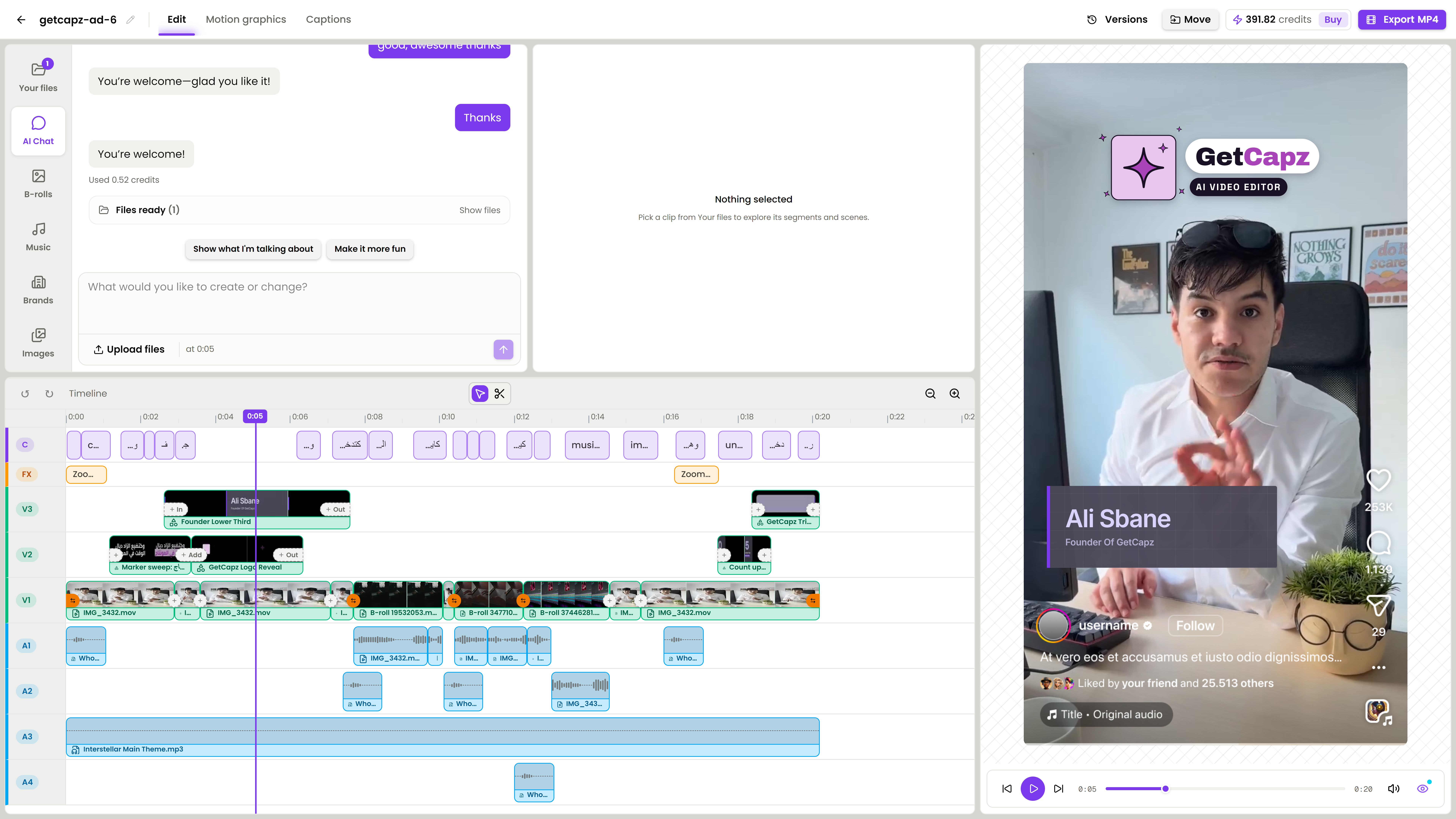
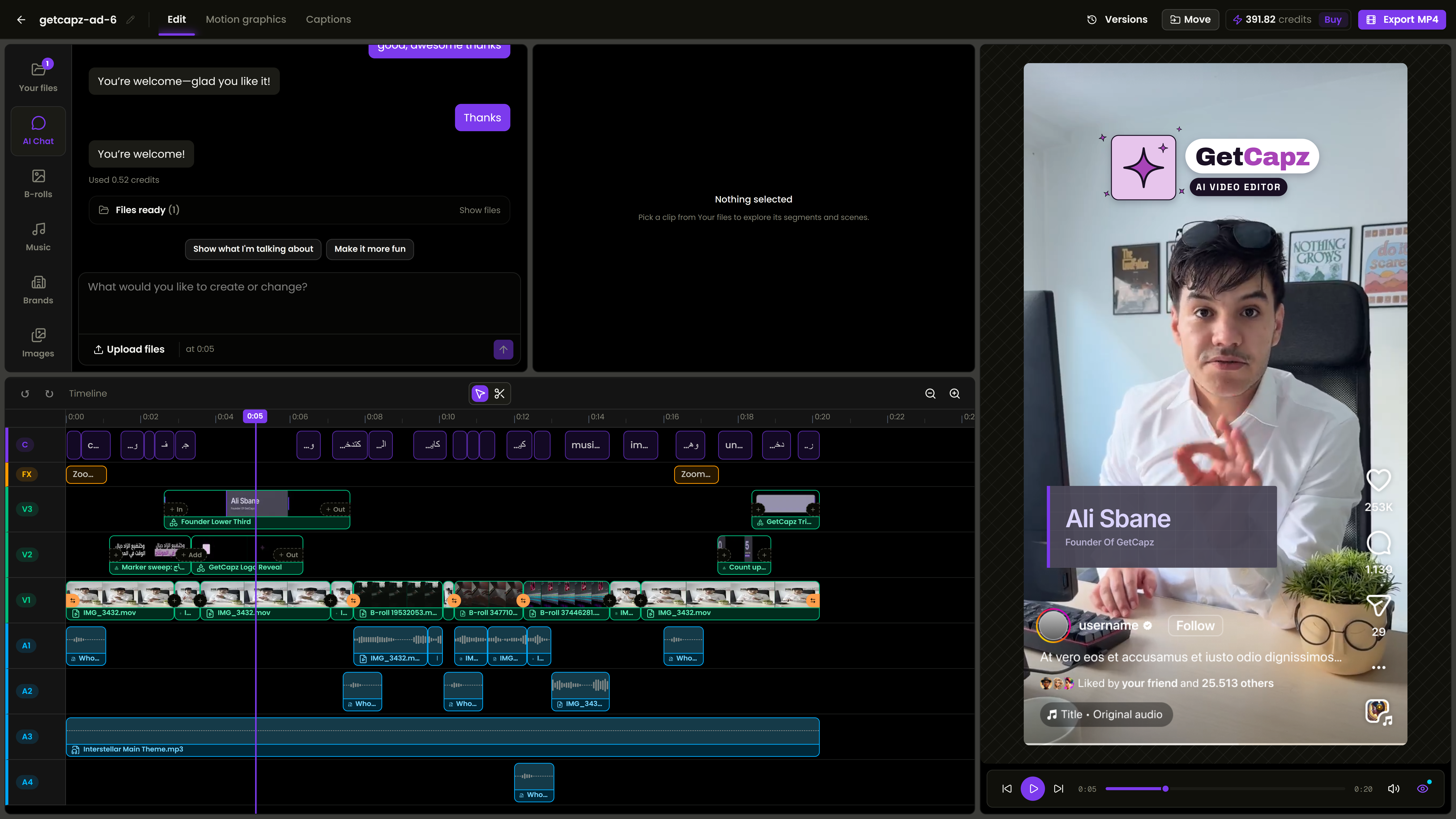
The AI builds a first draft. Then drag, trim and restyle anything on the timeline, or ask the chat to refine it. It sees what you changed by hand.
- Real multi-lane timeline: video, B-roll, graphics, captions, music and sound
- Undo any AI change in one click
- Safe zones for TikTok, Reels and Shorts built in
- Export a vertical MP4 in up to 4K
Start free. Upgrade when you're ready.
No credit card · Free plan forever · Cancel anytime
- AI editor: best takes, B-roll, music, captions
- Videos up to 5 min
- Unlimited MP4 exports up to 720p, with a small GetCapz mark
- 1 free SRT download / month
- 2 GB storage
- 1 GB max upload size
Everything in Starter, plus:
- Studio-clean voice
- No GetCapz mark on exports
- Videos up to 15 min
- Unlimited 1080p exports
- Unlimited SRT downloads
- 10 GB storage
- 2 GB max upload size
Everything in Creator, plus:
- Videos up to 30 min
- Unlimited 4K exports
- 50 GB storage
- 3 GB max upload size
- Priority processing
Everything in Creator Pro, plus:
- Videos up to 60 min
- 100 GB storage
- 5 GB max upload size
- Top priority processing
Try Creator free for 7 days after you sign up.
Need more? Buy AI credit packs from $4.99, no subscription needed.
Frequently asked questions
GetCapz is an AI video editor for short-form creators and video editors. You upload your clips and tell the AI what you want. It adds captions, B-roll, motion graphics, music and sound effects, then you export a ready-to-post MP4.
No. You can edit only by chatting. If you already know editing, you keep full control of the timeline and can change anything by hand.
Yes. GetCapz does the repetitive work, like captions, B-roll and sound, so you can deliver more videos in less time and spend your time on the creative part.
Yes. Correct the words and timing, then adjust the font, colors and animation. Export an MP4 with captions or download an SRT file.
Yes. Ask for another change in the chat, adjust the timeline by hand, or undo the edit.
Yes. Starter includes 15 one-time AI credits to try individual edits, unlimited MP4 exports with a small GetCapz mark, and one SRT download each month. That is enough for about one full AI edit. You can keep editing manually after the credits run out.
Every AI edit uses credits, transcription included. One video usually takes 10 to 14 credits, from a quick edit to a full edit with fixes. Paid plans get new credits every month.
MP4, MOV, WebM, MKV and AVI videos, plus your own images, music and logos.
Yes. There are no contracts.
That video in your head can be your next post.
Free plan. No credit card. Edit your next video by chatting.
Get started free